
School website
A school website your team runs
Choose a theme, edit pages visually, add news, events, staff and admissions, and publish when it’s ready, on your own domain. No developer needed.
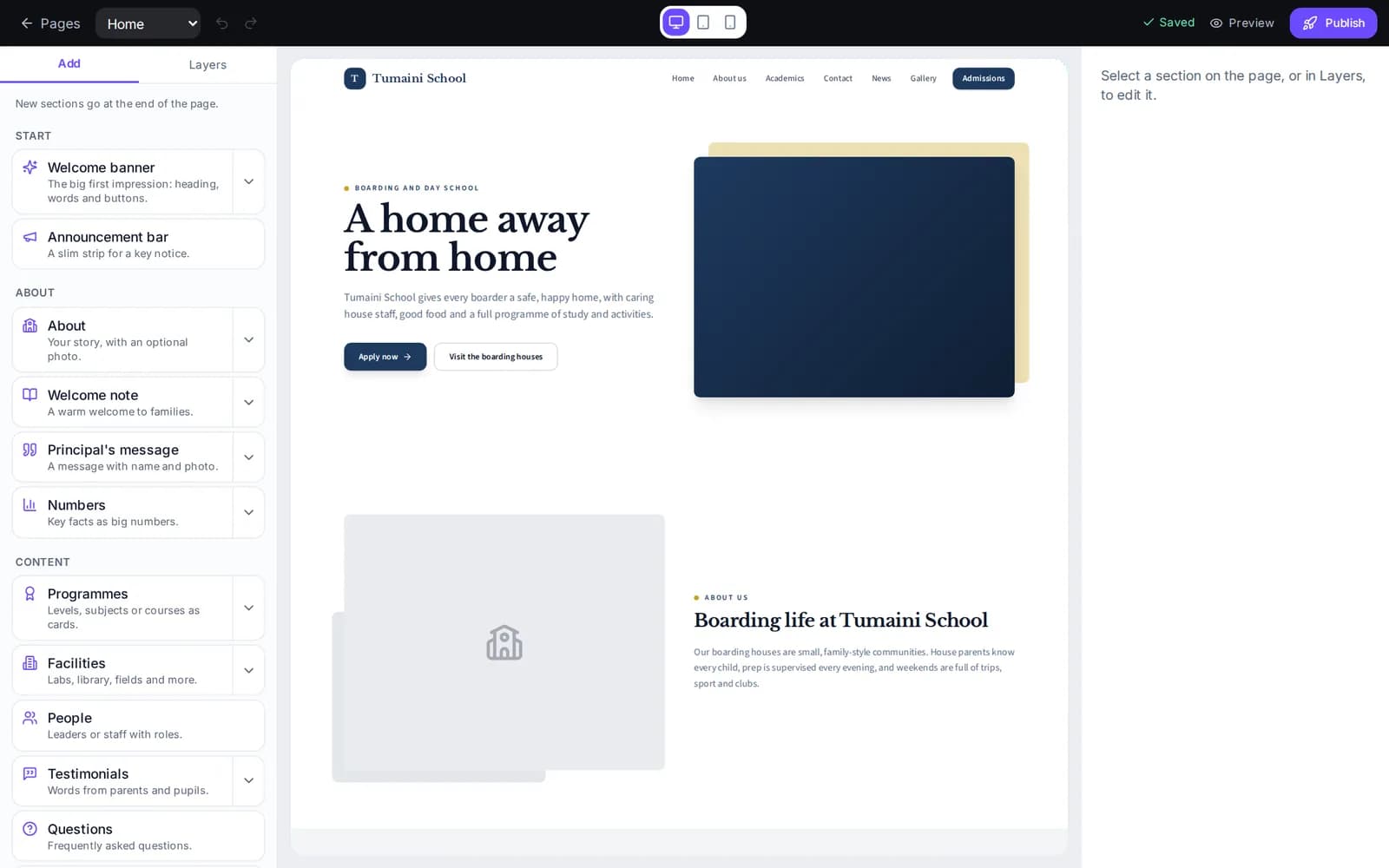
Start from a theme made for schools
Thirteen themes, from primary and Montessori to boarding, faith schools and colleges, each with its own layouts and ready-made pages. Your logo and colours go in; switching theme never deletes content.
- Preview with your own logo and colours
- Ready-made home, about, admissions and contact pages
- Desktop, tablet and phone layouts
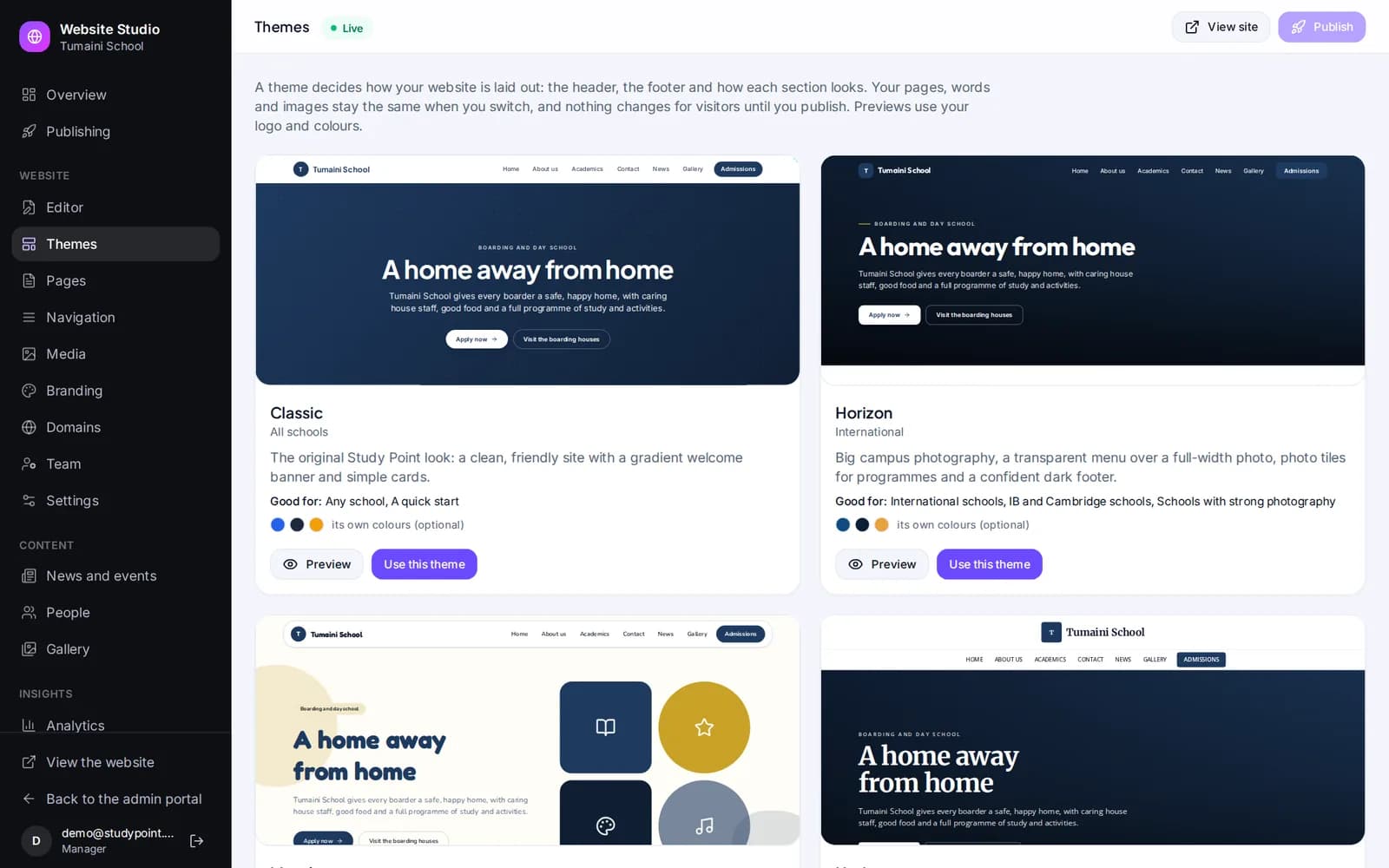
Review, publish and roll back
Editors send changes for review; a manager approves and publishes, or schedules them. Every release is kept, so you can go back to an earlier version in one step.
- Draft, review, approved, published
- Scheduled publishing
- Share a private preview link
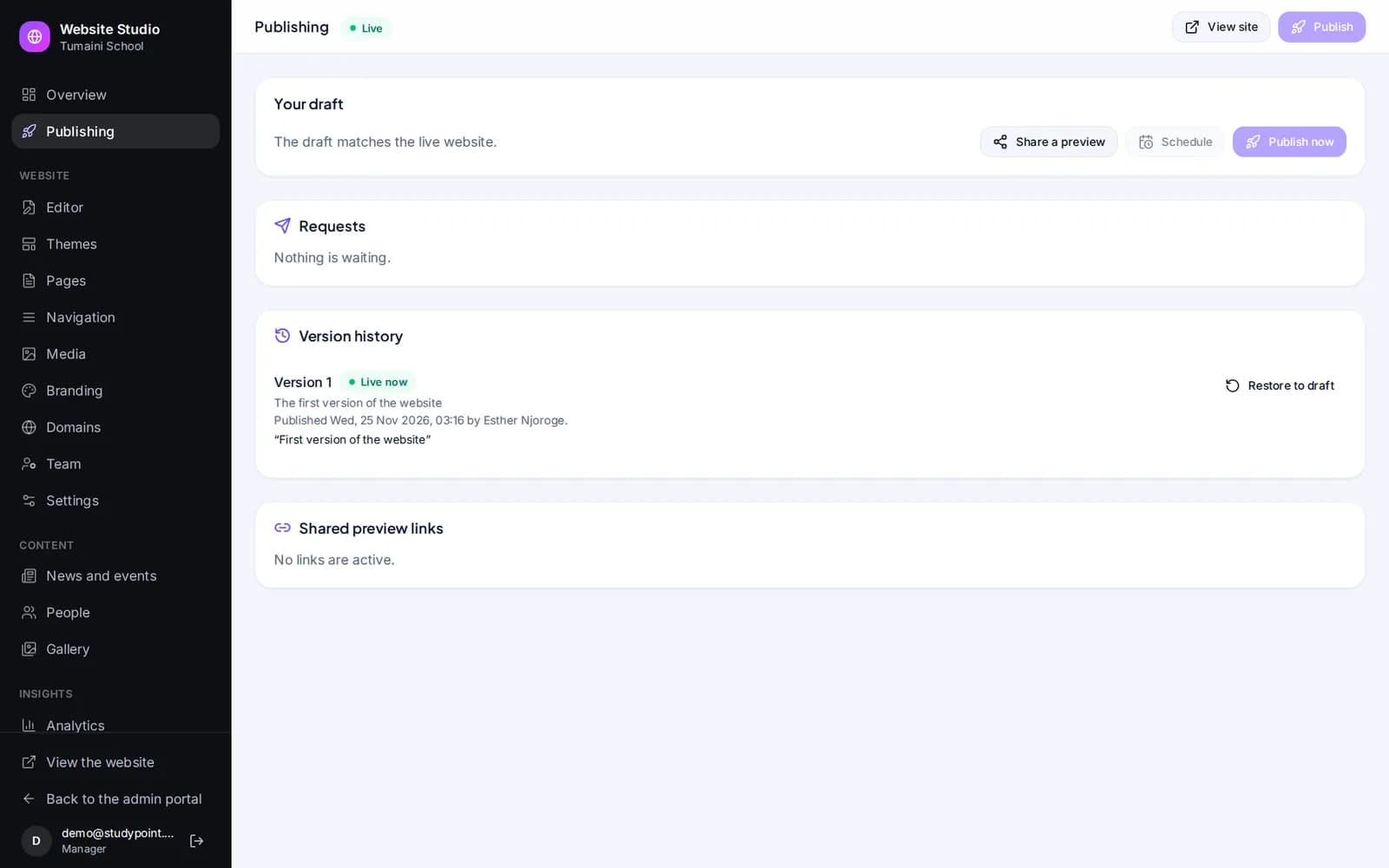
Edit what visitors will see
Pages are built from sections such as a hero, programmes, staff, news, gallery and contact. Click to edit text, swap images from the media library and reorder sections by dragging.
- Changes are drafts until published
- Two editors can’t overwrite each other
- Separate settings for phones and tablets
News, events, gallery and admissions
News and events appear on the site as you publish them, galleries only show photos cleared for consent, and admissions and contact forms land in one inbox at the school.
- Admission questions set by the school
- Spam protection on public forms
- Staff profiles only for those who opt in
Your own domain, and found by search engines
Your site goes live at studypoint.app/school/your-school, or connect your own domain with a secure certificate. Pages are served ready for search engines, with titles, descriptions and a sitemap.
- Custom domain with ownership check
- Sitemap and search settings per page
- Cookie-free visitor counts, plus Google Analytics if you want it
A website team, not one person
Add staff as managers, editors or marketing. Editors write, marketing handles news and media, and managers approve and publish.
- Roles for every member
- Approvals before anything goes live
- Notifications when changes wait for review
What it covers
Everything in School website
Design
- 13 themes
- Branding
- Fonts and colours
- Phone and tablet layouts
- Saved sections
Content
- Pages
- Menus
- Media library
- News
- Events
- Gallery
- Staff profiles
Admissions
- Admission forms
- Contact forms
- Enquiry inbox
- Spam protection
Publishing
- Review workflow
- Scheduling
- Version history
- Preview links
- Custom domains
- Analytics
- Search settings
Questions
Common questions
No. Pick a theme, add your content and publish. Everything is edited in the browser.
Yes. You prove you own it with a DNS record, point it at Study Point, and the secure certificate is set up for you.
No. Edits are drafts until a manager publishes them, and every published version can be restored.
Gallery photos show on the website only once they are cleared for consent.
Works with
Connected to the rest of your school
School office
Students, staff, classes, timetables, registers and the gate, with one dashboard for the whole school.
Learn moreMessages and notices
Announcements, class notices and direct messages, by app, email and SMS, plus WhatsApp for automatic updates.
Learn moreParent app
Results, attendance, fees with M-Pesa, the school bus and messages for every child in one app.
Learn more
See School website with your own school
Start a free trial, or book a demo and we’ll walk you through it.