
Boarding
Know where every boarder is
Dorms and beds, roll calls, exeats, visitors, meals and welfare, all feeding one live answer to the most important question: where is this child right now?
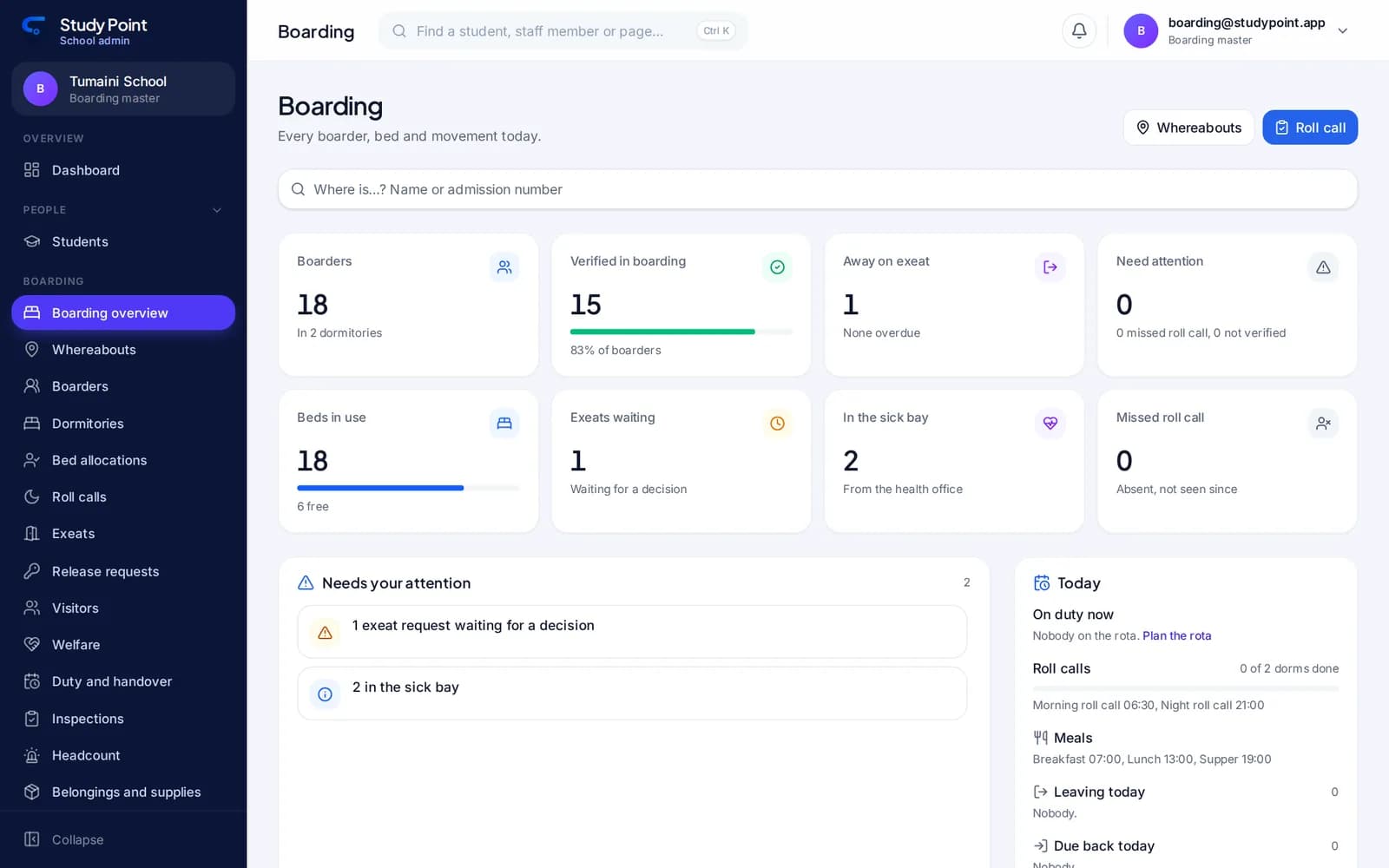
Whereabouts, backed by evidence
Each boarder’s status combines their bed, the last roll call, any exeat, a sick bay visit and gate movements. Nobody is shown as safe without a recent present mark.
- “Not verified” when there’s no recent evidence
- Status by house and dormitory
- Emergency headcounts
Dorms, houses and beds
Group dormitories into houses and allocate beds with gender, capacity and bed status checked, so a bed is never double-booked.
- One boarder per bed
- House parents work with their own dorms
- Moves recorded
Roll calls
Run roll calls by session. Boarders on exeat or in the sick bay are filled in for you; everyone else is marked, and anyone unaccounted for is flagged when it’s completed.
- Sessions the school defines
- Alerts for the unaccounted
- History for each boarder
Exeats and visitors
Parents request exeats, approved in the steps your school sets. Staff confirm who collected the child and when they returned. Visitors are matched to approved lists and get a pass with a QR check.
- Approval steps per school
- Overdue returns flagged
- Visitor passes
Welfare, duty and daily life
Welfare notes that are added to, never edited, with confidential ones kept private. Duty rotas and handovers, meals and diets, belongings, laundry, lost and found, and boarding stock.
- Confidential welfare notes
- Handover between duty staff
- Allergy and diet flags from the nurse
Families kept informed
Parents see whether their child is in boarding, away on exeat or in the sick bay, and hear about exeats and visits by app, and by email, SMS or WhatsApp if the school chooses.
- Status only, never private notes
- Exeat requests from the parent app
- Learners see their own bed and exeats
What it covers
Everything in Boarding
Places
- Houses
- Dormitories
- Rooms and beds
- Allocations
- Inspections
Accountability
- Whereabouts
- Roll calls
- Headcounts
- Exeats
- Visitors
- Gate movements
Care
- Welfare notes
- Meals and diets
- Sick bay link
- Duty and handover
- Incidents
Daily life
- Belongings
- Laundry
- Lost and found
- Stock
- Notices
- Reports
Questions
Common questions
No. House parents work with the dormitories they’re assigned to. The boarding master sees everything.
No. Health stays with the nurse; boarding only sees allergy and diet flags and whether a boarder is in the sick bay.
Only whether their child is in boarding, away on exeat or in the sick bay, plus their exeat requests and visits.
Yes. Each school decides who approves exeats and in what order.
Works with
Connected to the rest of your school
Health and sick bay
Health records, sick bay visits, medication and stock, with parents told when it matters.
Learn moreParent app
Results, attendance, fees with M-Pesa, the school bus and messages for every child in one app.
Learn moreSchool office
Students, staff, classes, timetables, registers and the gate, with one dashboard for the whole school.
Learn more
See Boarding with your own school
Start a free trial, or book a demo and we’ll walk you through it.