
Fees and finance
Fees that reconcile themselves
Invoices from your fee structures, M-Pesa payments matched to the right child, receipts parents can verify, and a proper ledger behind it all.
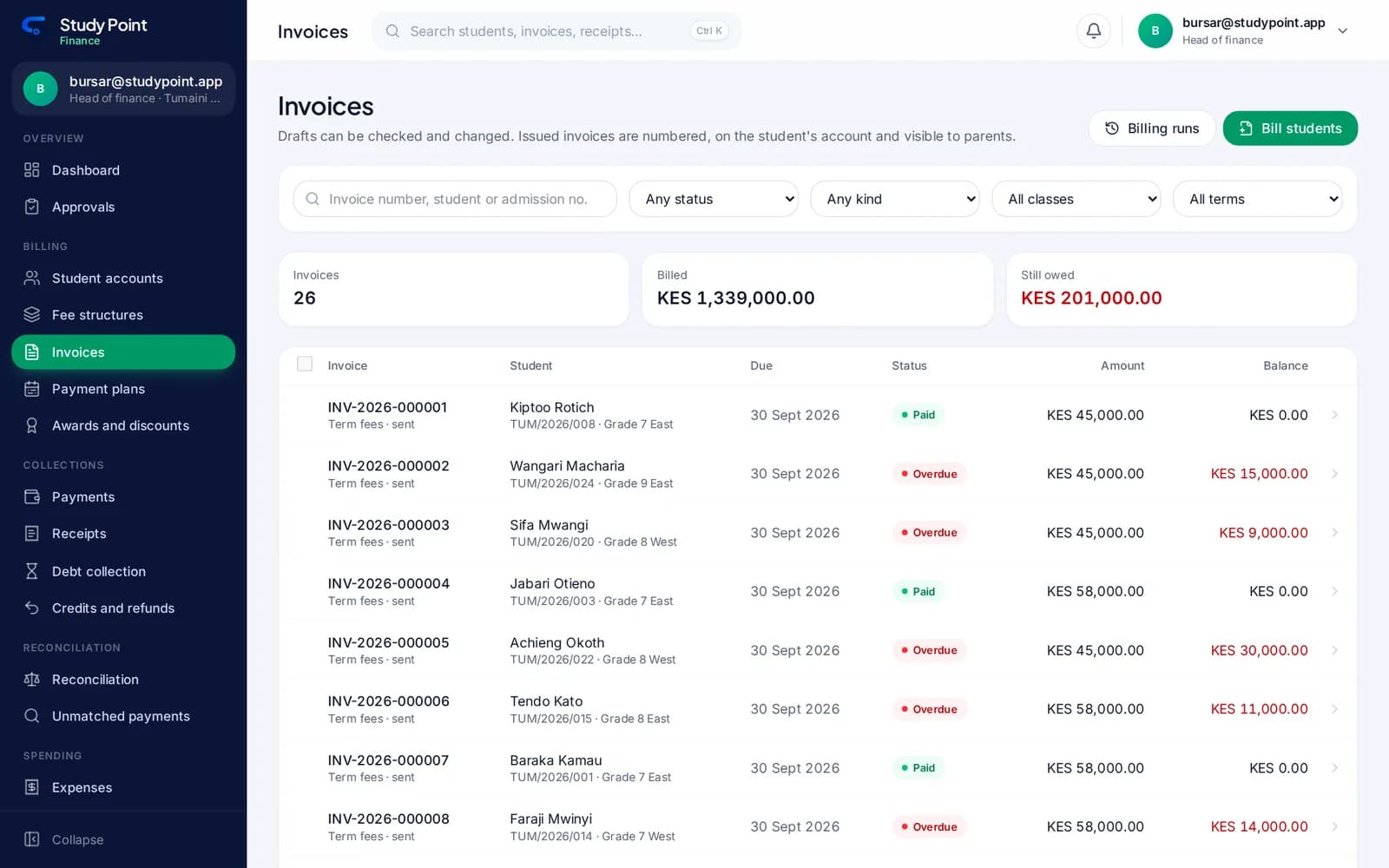
From fee structure to invoice
Set fees per grade, boarding and optional items once. Bill a class, a grade or the whole school in one run, with the right students worked out by the system.
- Issued invoices are never edited: changes are credit notes or adjustments
- Sibling and other awards and discounts
- Payment plans agreed with families
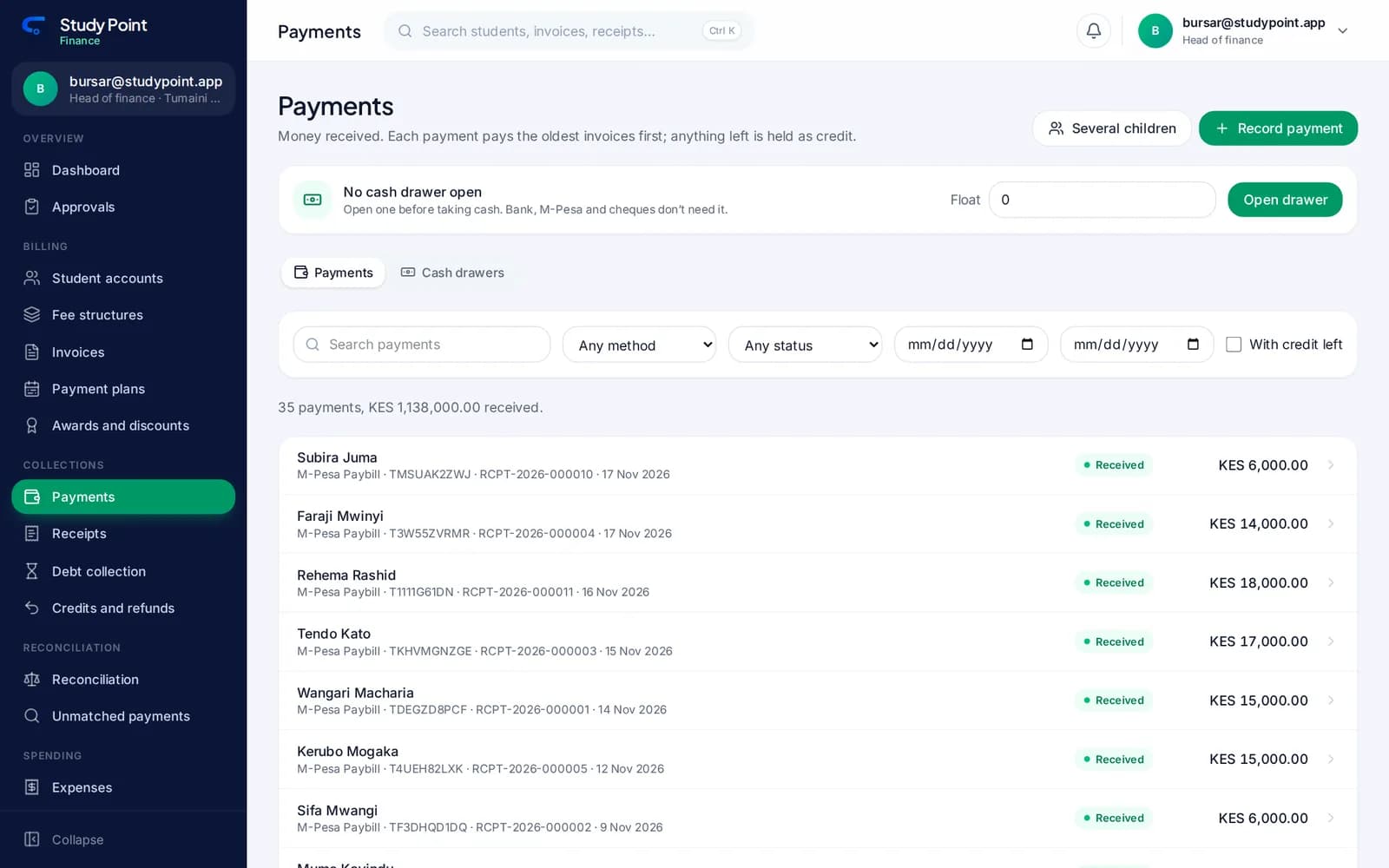
M-Pesa that matches itself
Parents pay from the app (STK push) or to the school’s own Paybill or Till. Payments find the right child by admission number; anything unclear waits in one list for a person to match.
- An M-Pesa code is never recorded twice
- One payment can cover several children
- Bank statements imported with suggested matches you confirm
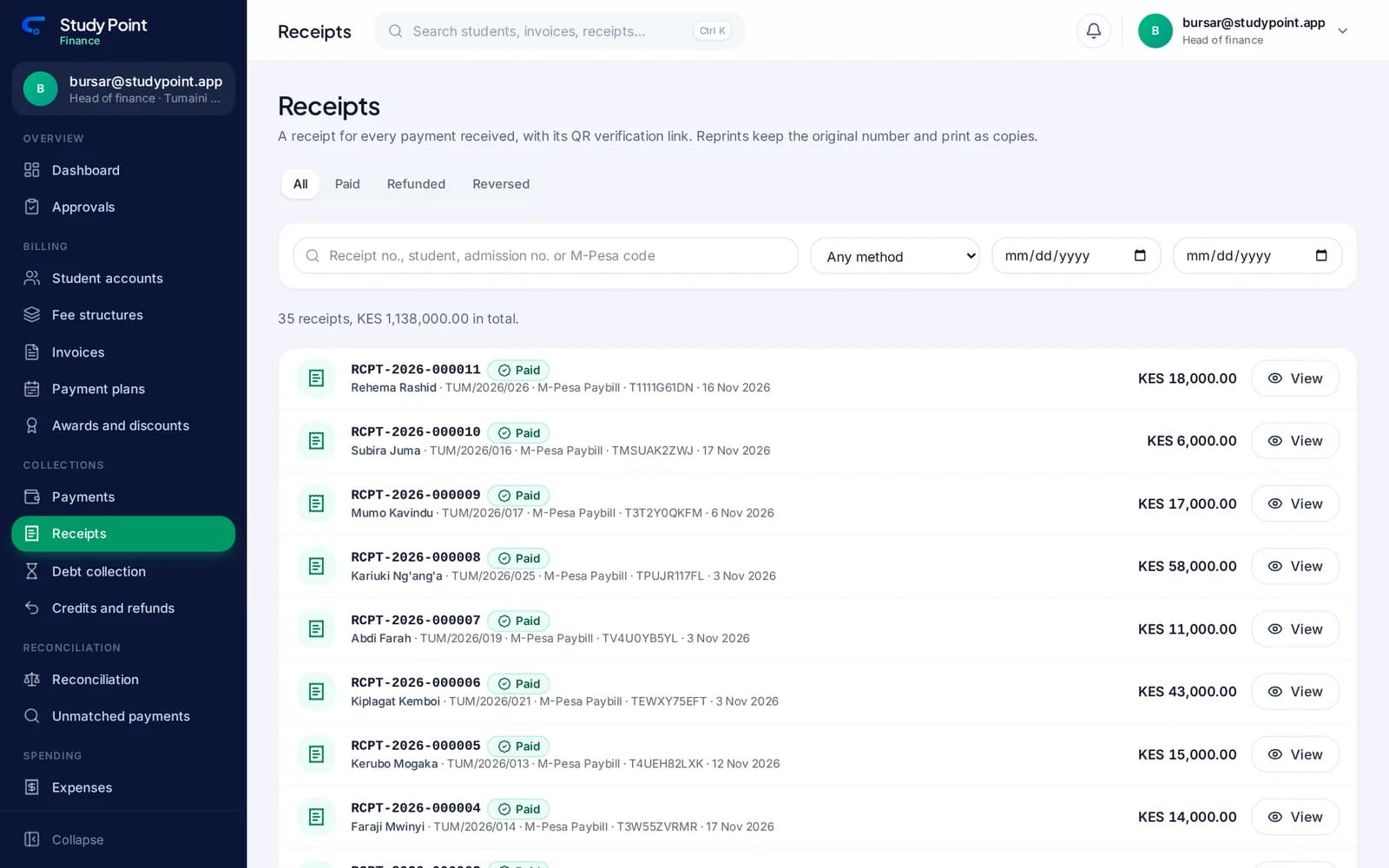
Receipts anyone can check
Every payment gets a numbered receipt, as an A4 page or an 80 mm slip. A QR code on each one opens a public check, so a parent or auditor can confirm it’s genuine.
- Reprints keep the number and print as copies
- Balances shown as they were at the time of payment
- Sent to the family by app, email, SMS or WhatsApp
Follow up balances, kindly
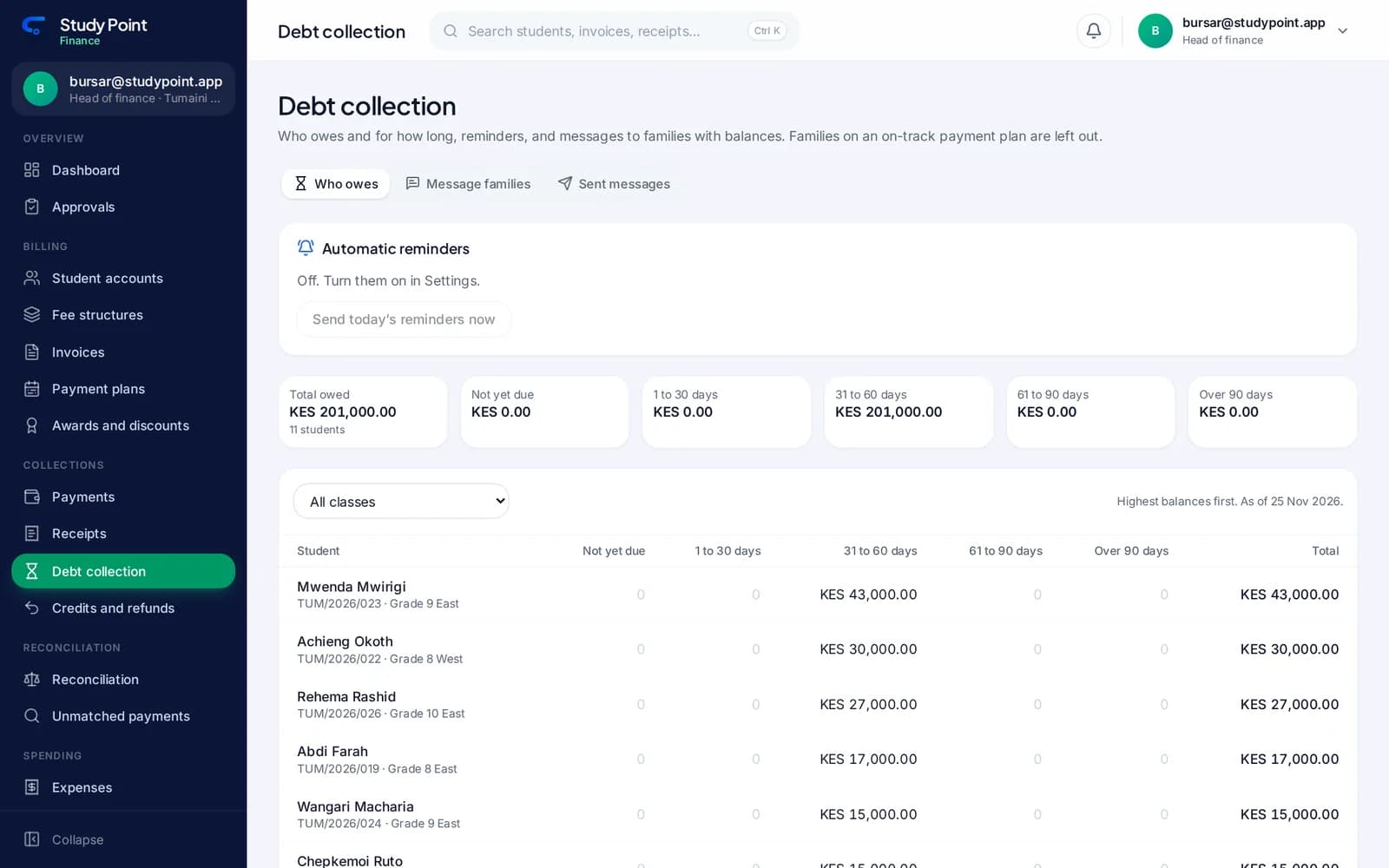
See who owes what and for how long, send reminders and agree payment plans, without spreadsheets.
- Balances grouped by how long they’ve been owed
- Reminders to families
- Payment plans tracked against what was agreed
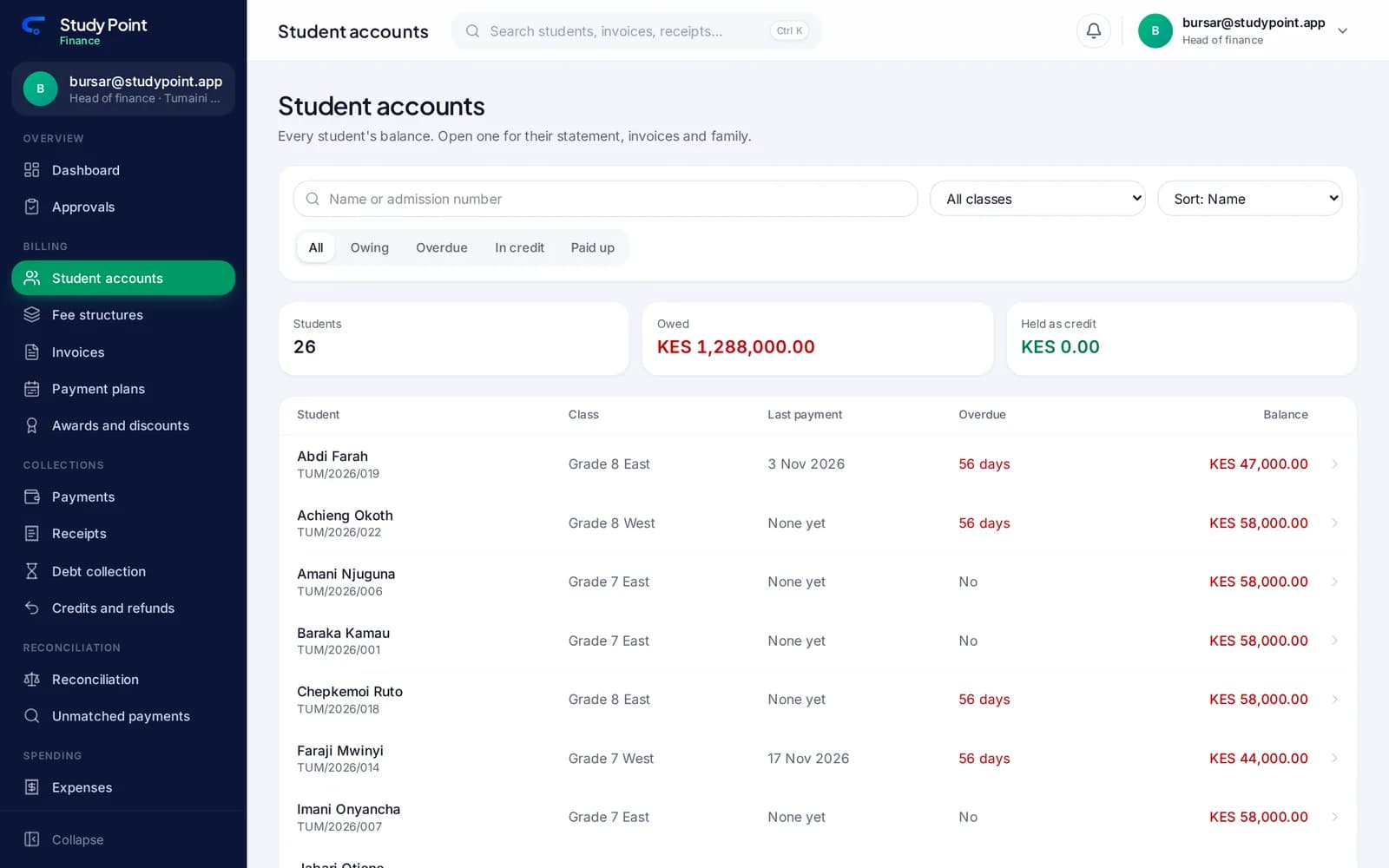
Every student’s account, and a real ledger
Each student has an account with every charge, payment and credit. Behind it, a balanced double-entry ledger keeps the books right.
- Trial balance and ledger checks
- Reports to Excel and PDF
- Statements families can print
The right person for each job
Cashiers collect, finance officers bill and reconcile, accountants keep the books, the head of finance approves. The person who asks for a write-off, refund or reversal can never be the one who approves it.
- Roles for cashier, finance officer, accountant and head of finance
- Approval needed above a limit the school sets
- A cash drawer for desk payments
How it connects
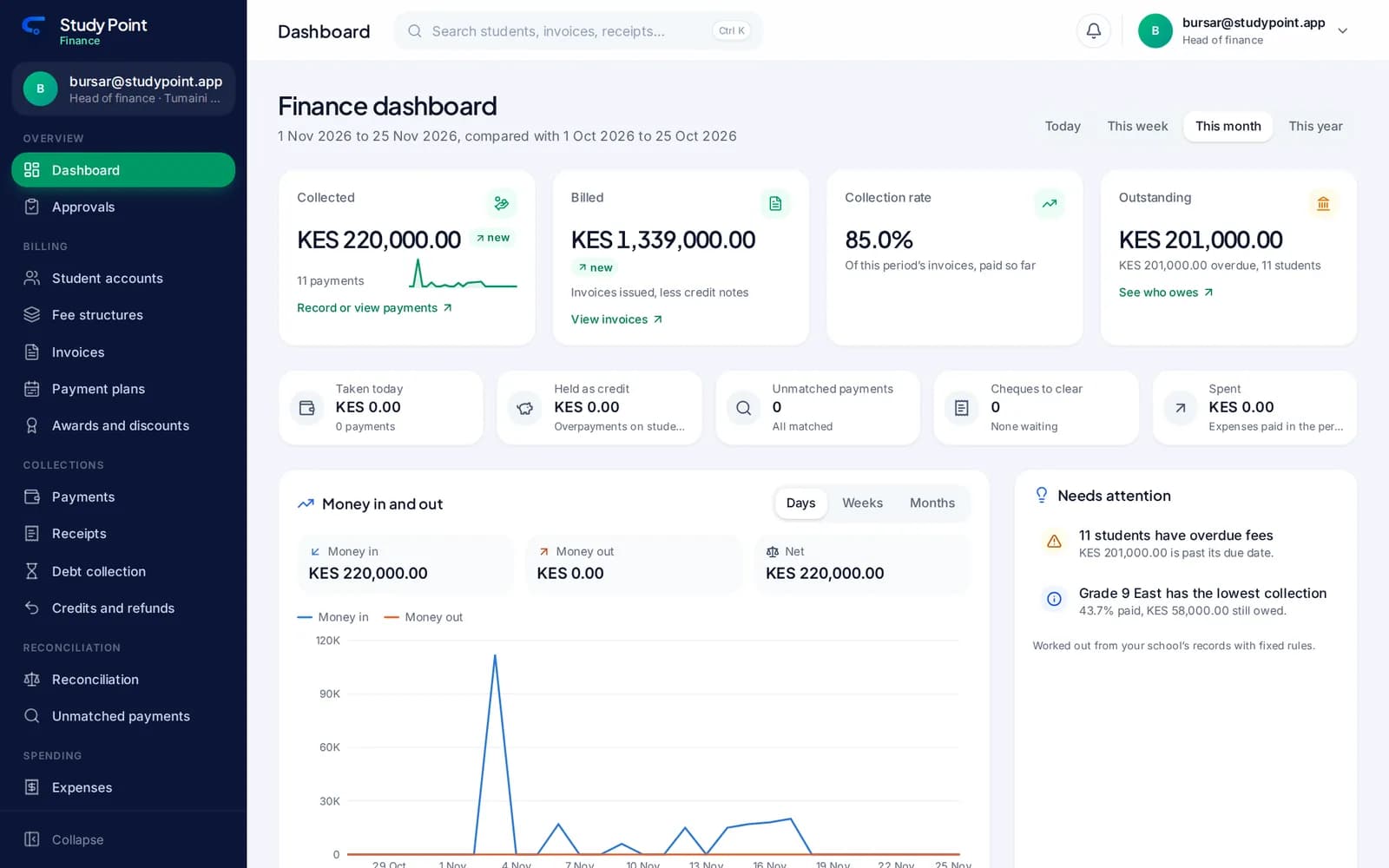
One payment, everyone updated
Follow a single M-Pesa payment through the school.
What it covers
Everything in Fees and finance
Billing
- Fee structures
- Optional fees
- Invoice runs
- Ad-hoc invoices
- Credit notes
- Awards and discounts
- Payment plans
Collection
- M-Pesa STK push
- Paybill and Till
- Family payments
- Cash drawer
- Cheques
- Bank statement import
- Unmatched payments
Records
- Receipts with QR checks
- A4 and 80 mm receipts
- Student statements
- Double-entry ledger
- Trial balance
Control
- Finance roles
- Maker-checker approvals
- Expenses
- Budgets
- Reconciliation
- Excel and PDF reports
Questions
Common questions
To the school. Each school uses its own M-Pesa Paybill or Till; Study Point records and matches the payments.
The payment waits in the unmatched list with suggestions, and a finance officer confirms which child it belongs to.
Yes. One amount can be split across their children, with a receipt for each.
Never by editing. A credit note, adjustment or reversal is recorded, with approval where the school requires it, so the history stays complete.
Works with
Connected to the rest of your school
Parent app
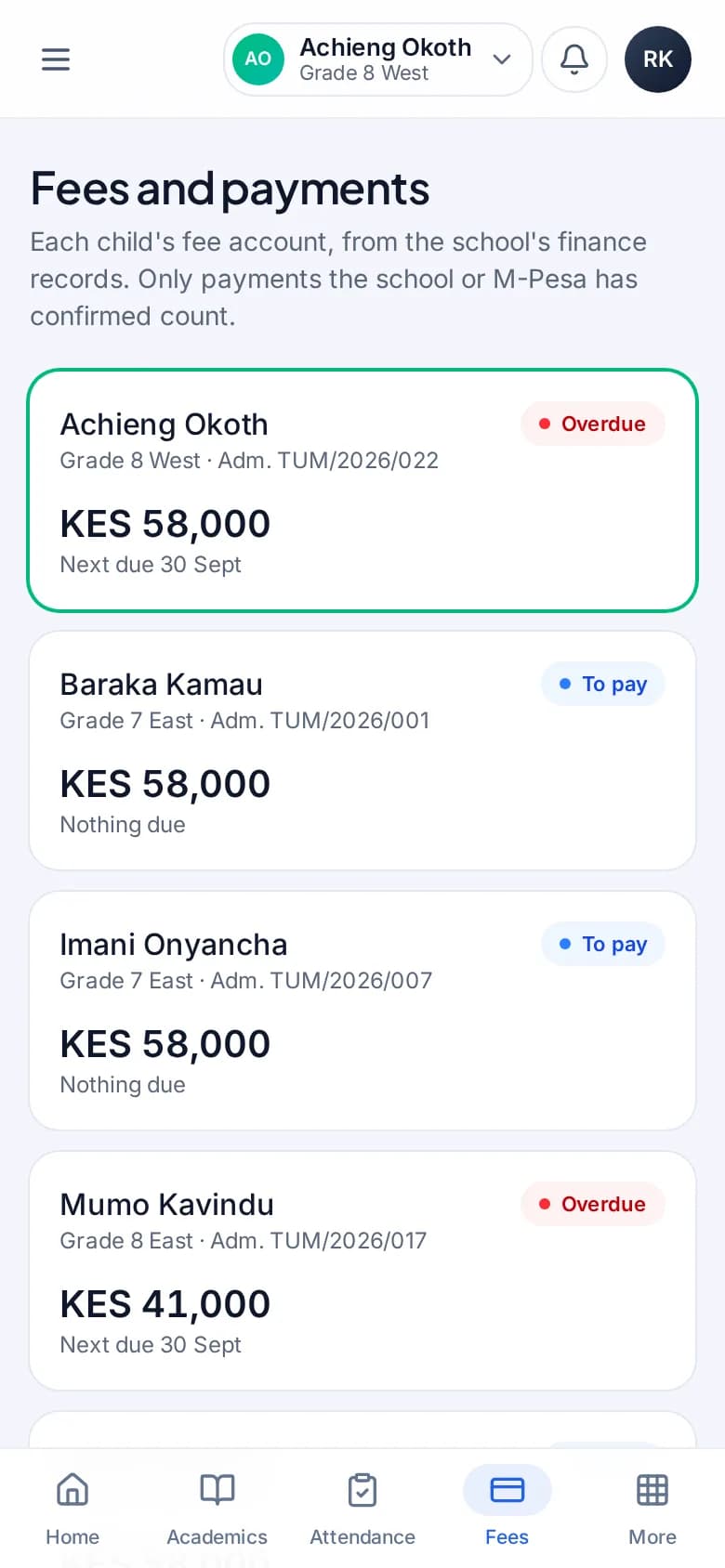
Results, attendance, fees with M-Pesa, the school bus and messages for every child in one app.
Learn moreSchool office
Students, staff, classes, timetables, registers and the gate, with one dashboard for the whole school.
Learn moreStudent app
Timetable, assignments, results, report cards, achievements and career ideas for each learner.
Learn more
See Fees and finance with your own school
Start a free trial, or book a demo and we’ll walk you through it.