
Teachers
Less paperwork, more teaching
Registers, marks, report cards, lesson plans and an AI teaching assistant, all for the classes you actually teach. Built so a teacher’s evening isn’t spent on admin.
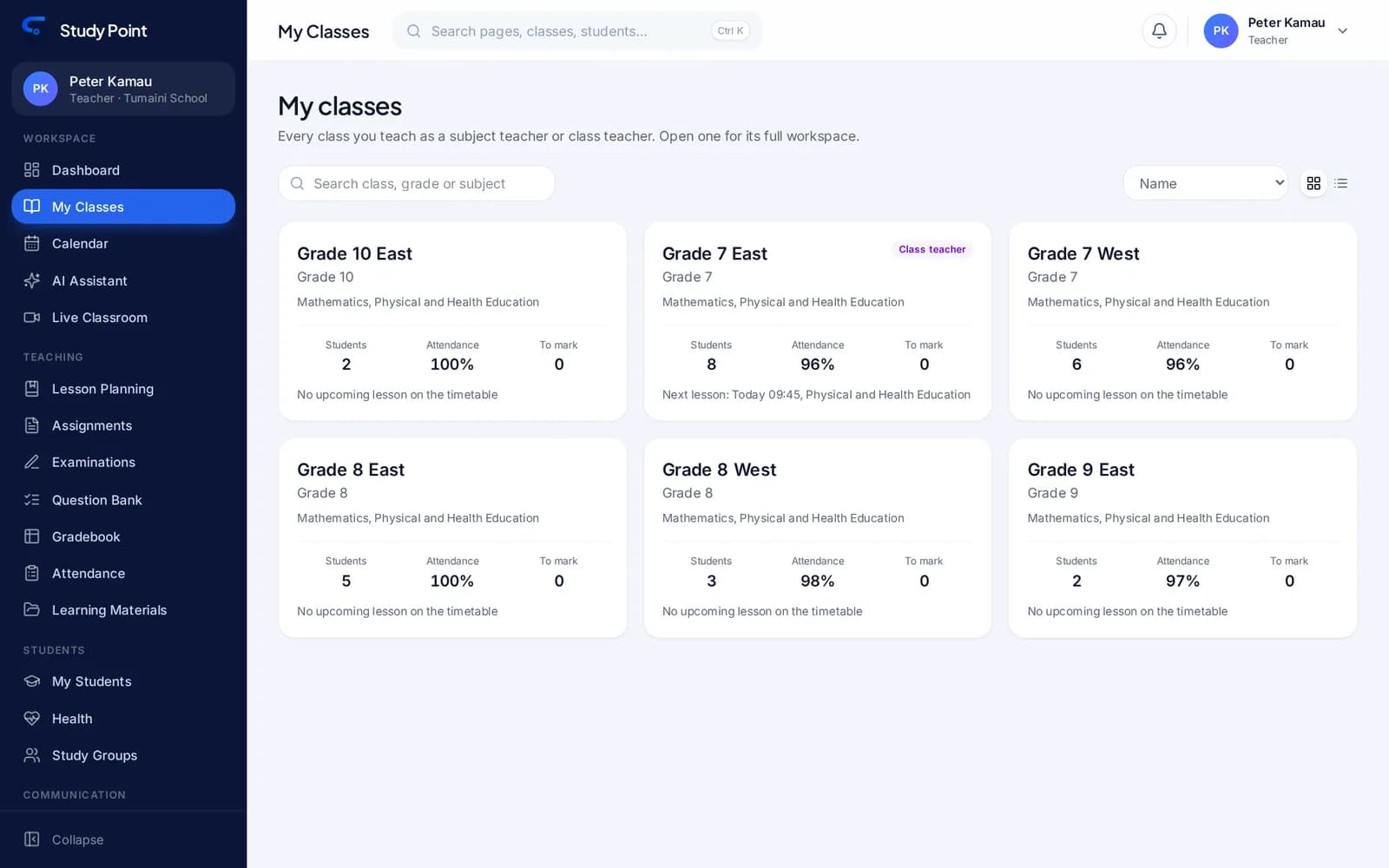
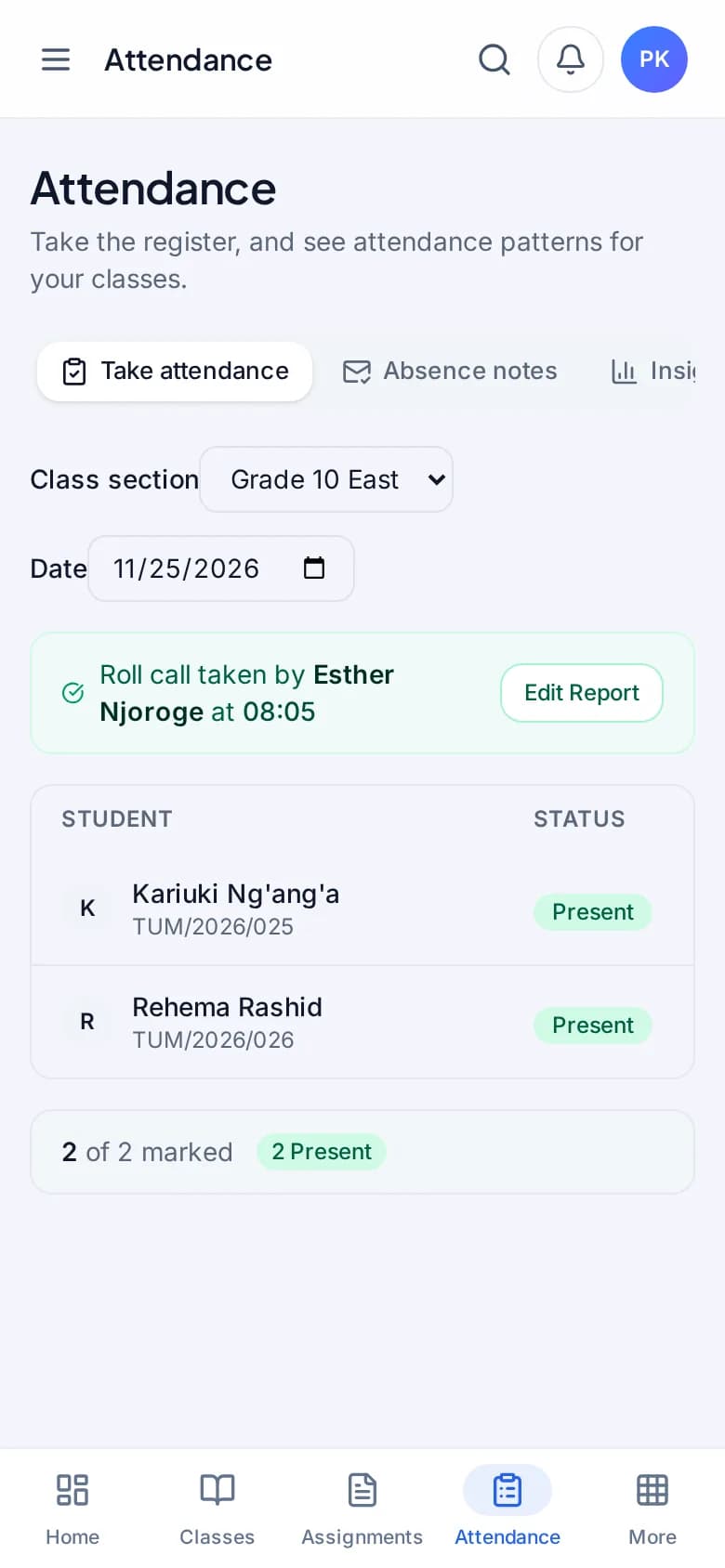
Your day, ready when you sign in
Today’s lessons, registers still to take and work waiting to be marked are on one screen, for the classes you teach and nothing else.
- Today’s teaching with rooms and times
- Registers to take and work to mark
- Follow-ups for learners you are supporting
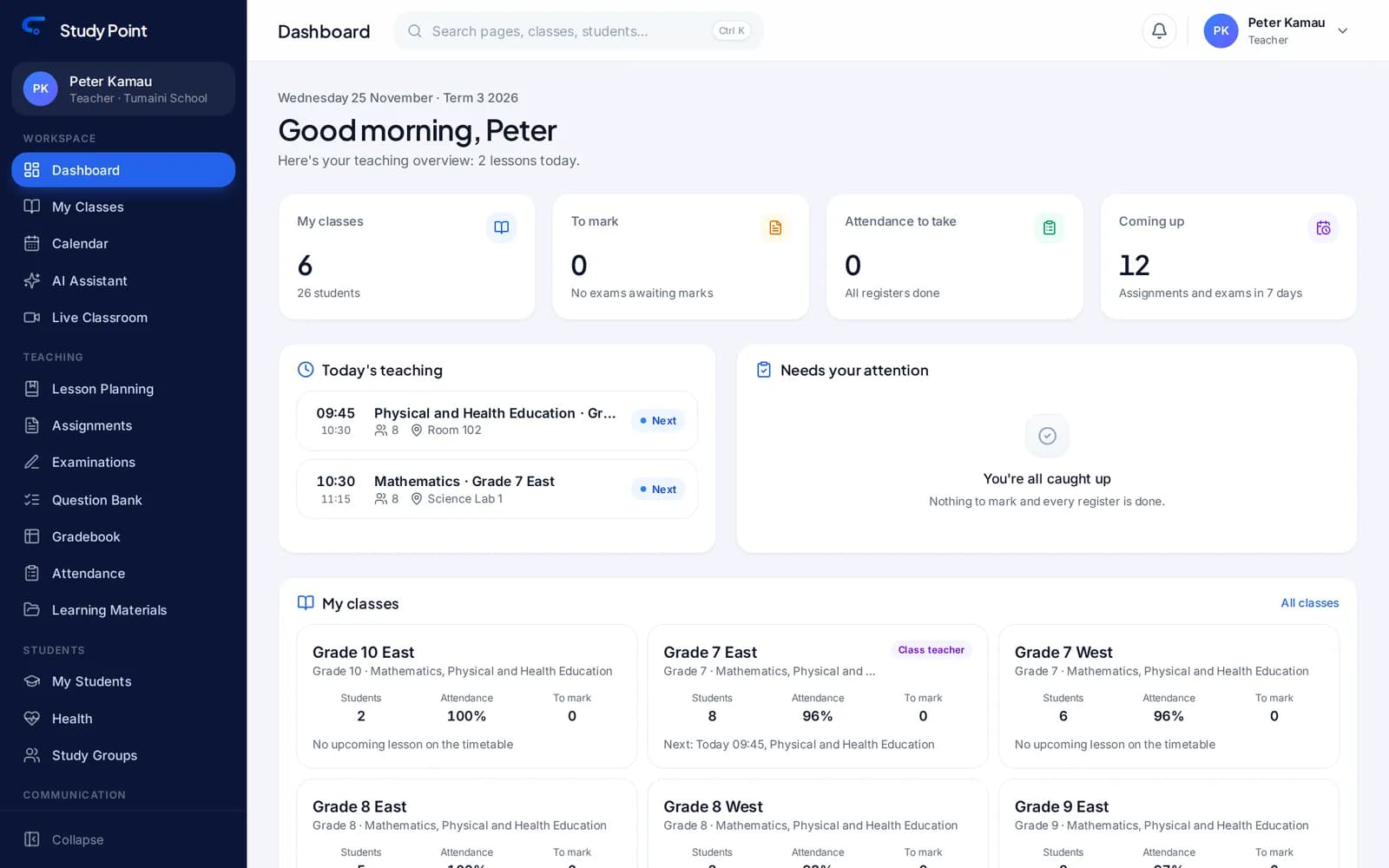
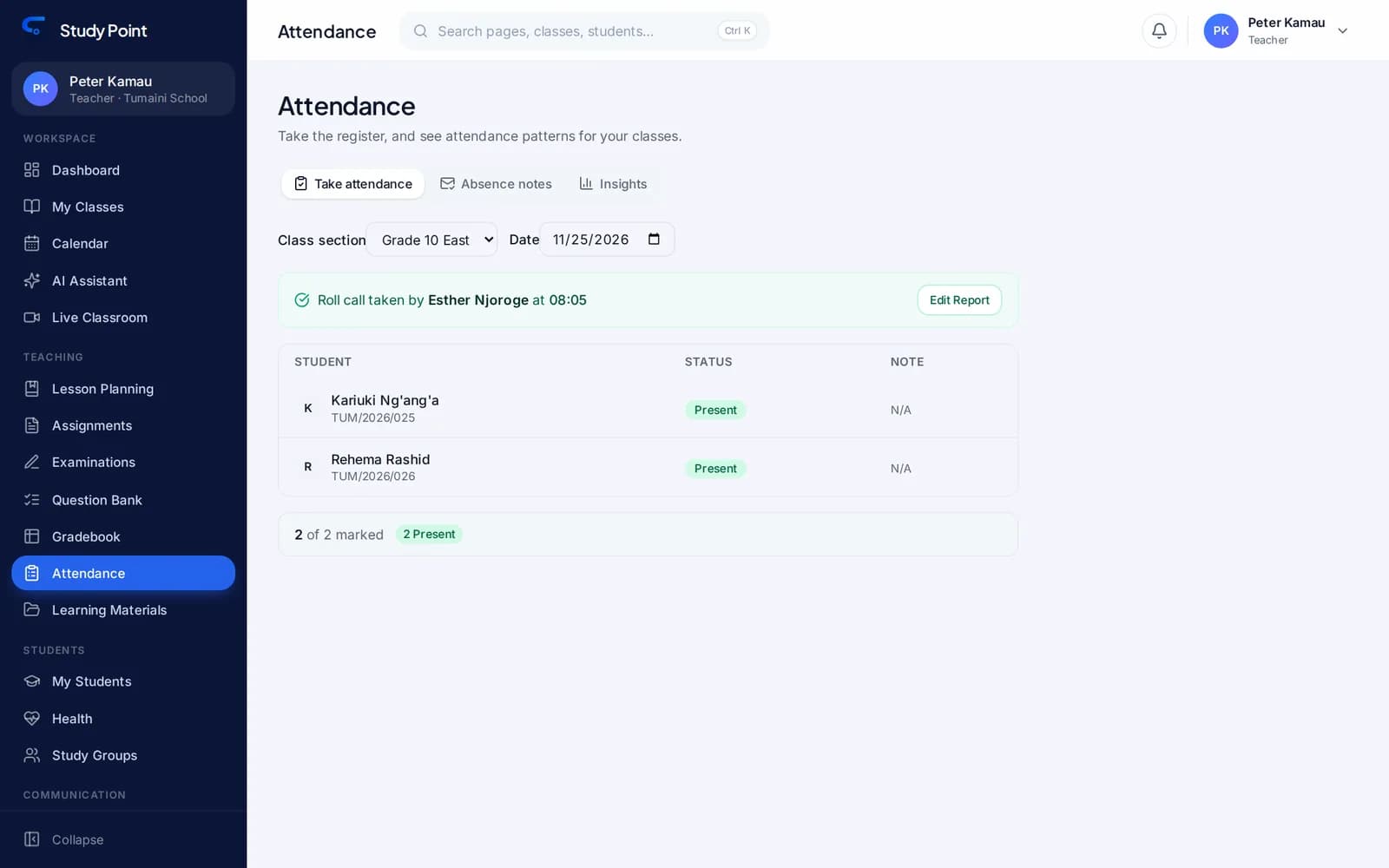
The register in a few taps, even offline
Mark present, late or absent for the whole class, or everyone present at once. No signal? Keep going; it syncs when the connection is back.
- Absence notes from parents show in the register
- Patterns and insights for each class
- Only learners enrolled in the class can be marked
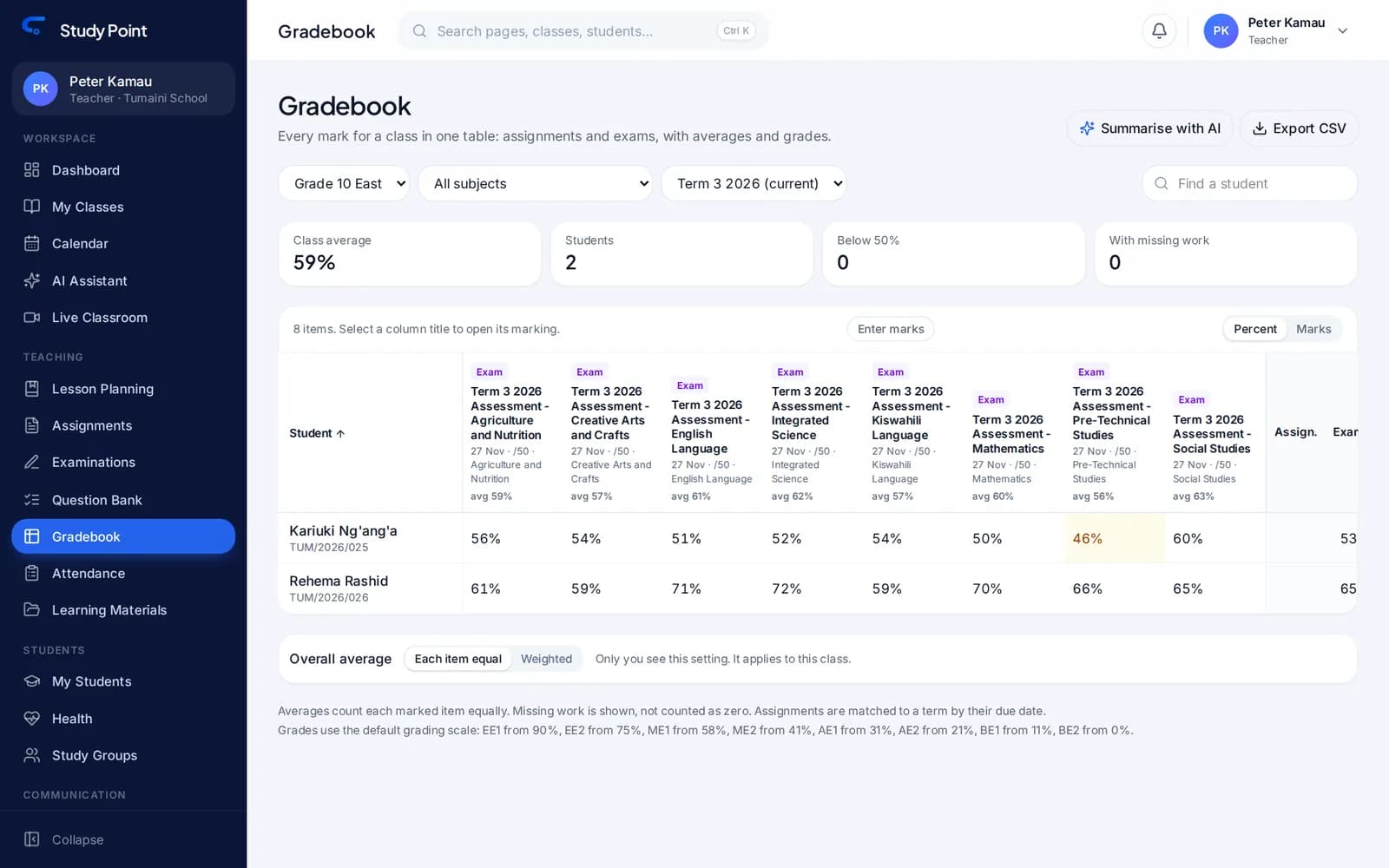
Enter marks once, use them everywhere
Marks from exams and assignments flow into one gradebook with averages, grades from your school’s scale and your own weighting.
- Exams with a shared question bank, CSV import and export
- Assignments marked in a side-by-side view
- Missing work is shown, never counted as zero
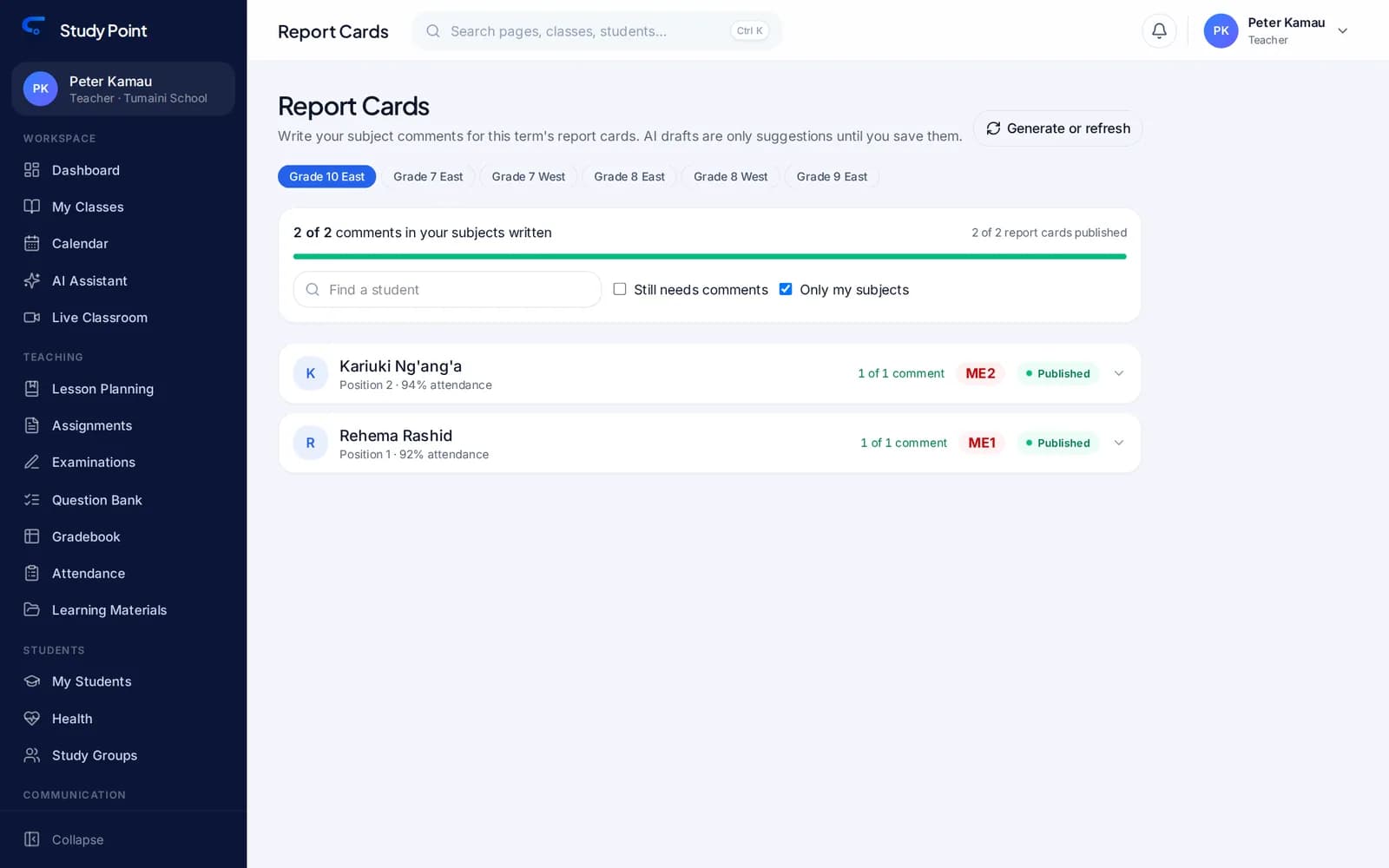
CBC report cards without the late nights
Achievement levels and points are worked out from the marks. You write or accept the comments, the head adds theirs and the school publishes.
- AI comment suggestions are drafts you edit or reject
- Nothing reaches parents until it is published
- Printable cards with the school’s grading
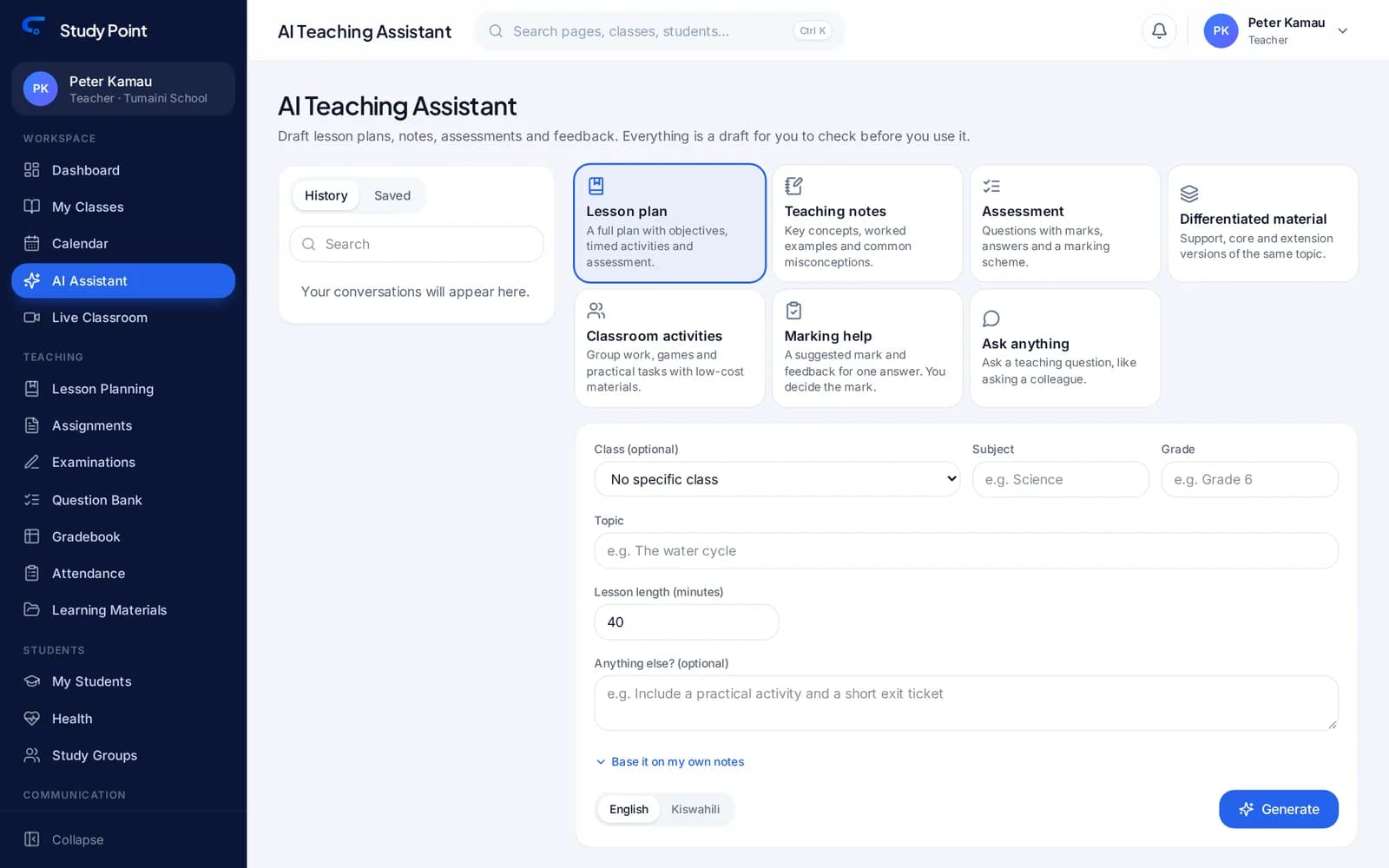
An AI teaching assistant that you stay in charge of
Draft lesson plans, questions, notes and differentiated material in seconds. Everything is a draft you check, edit and save; nothing goes to learners on its own.
- Lesson plans open in the lesson editor
- Questions you pick go to your question bank
- Marking suggestions only fill the form; you decide the mark
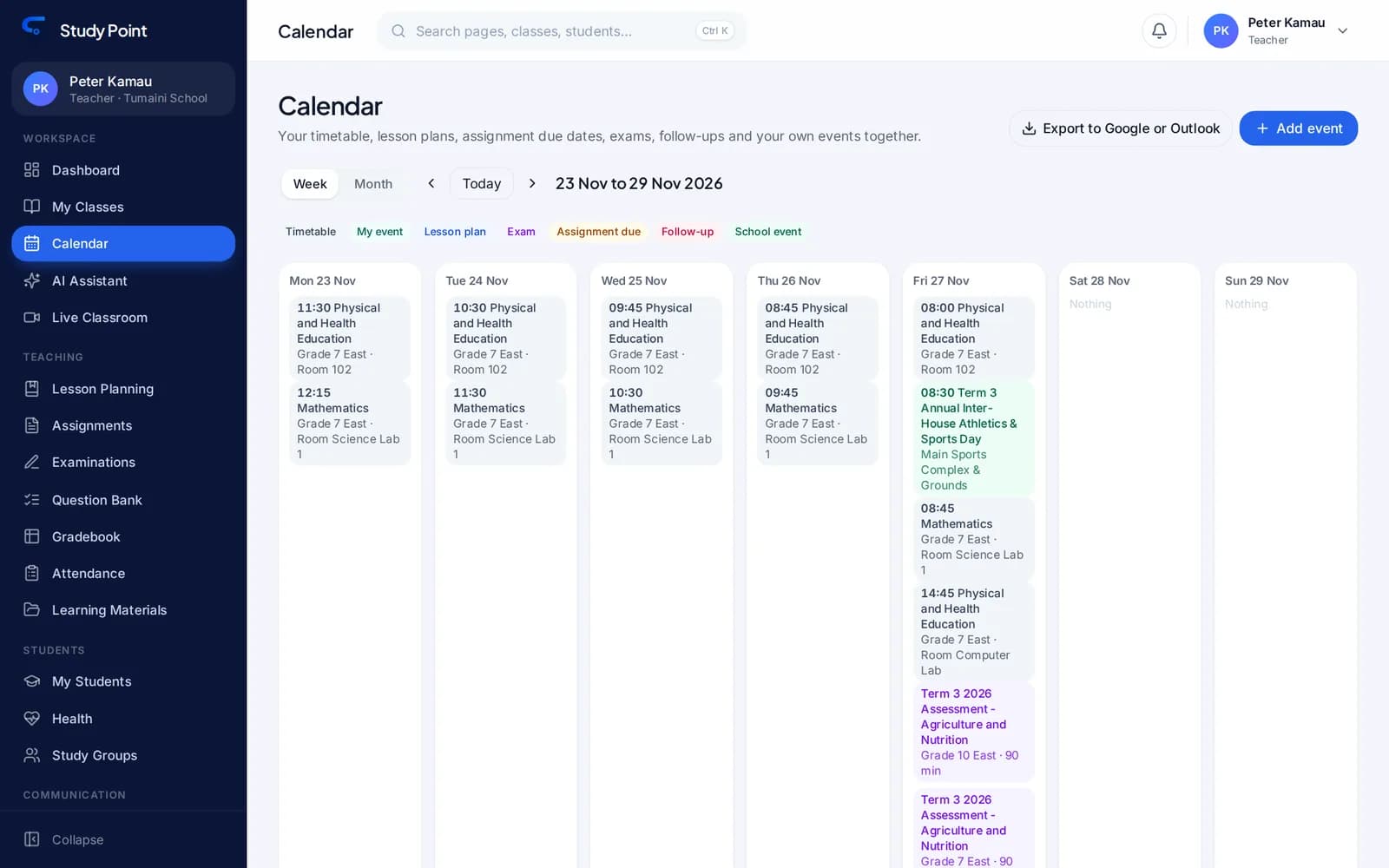
Your week and your classes
Timetable, lesson plans, assignment and exam dates and school events in one calendar, with your own events too.
- Export to Google or Outlook
- Class workspaces with the roster and progress
- Class announcements that reach students and, if you choose, parents
What it covers
Everything in Teachers
Classes and registers
- Daily register
- Offline marking
- Absence notes
- Attendance insights
- Class workspaces
- Student profiles
Assessment
- Exams
- Question bank
- CSV import and export
- Assignments
- Marking view
- Gradebook
- Weighting
- Results
Planning
- Lesson plans
- Topic coverage
- Shared plans and templates
- Calendar
- Google and Outlook export
Support and families
- Support plans
- Class announcements
- Call or message guardians
- Live classes
- Study group moderation
Questions
Common questions
No. A teacher works with the classes they teach as a subject or class teacher. Heads of department and the school office see the whole school.
No. AI suggestions are always drafts. A teacher reads, edits and confirms every mark and comment before it counts or reaches a family.
Carry on. Registers are saved on the device and sync in order when the connection returns.
Yes. Grades come from the school’s own grading scale, or the CBC default if the school hasn’t set one.
Works with
Connected to the rest of your school
Student app
Timetable, assignments, results, report cards, achievements and career ideas for each learner.
Learn moreAI learning
A tutor that explains, a study workspace, revision cards and study plans for every learner.
Learn moreParent app
Results, attendance, fees with M-Pesa, the school bus and messages for every child in one app.
Learn more
See Teachers with your own school
Start a free trial, or book a demo and we’ll walk you through it.